Action
BDSM habit tracker for recurring rituals
Use a BDSM habit tracker for a routine you want to repeat, like a short morning check-in. D/s means dominance and submission: roles you agree on together. In Cuffplay, rituals live in Action → Plans. Start in your personal space or propose one to your connected partner.
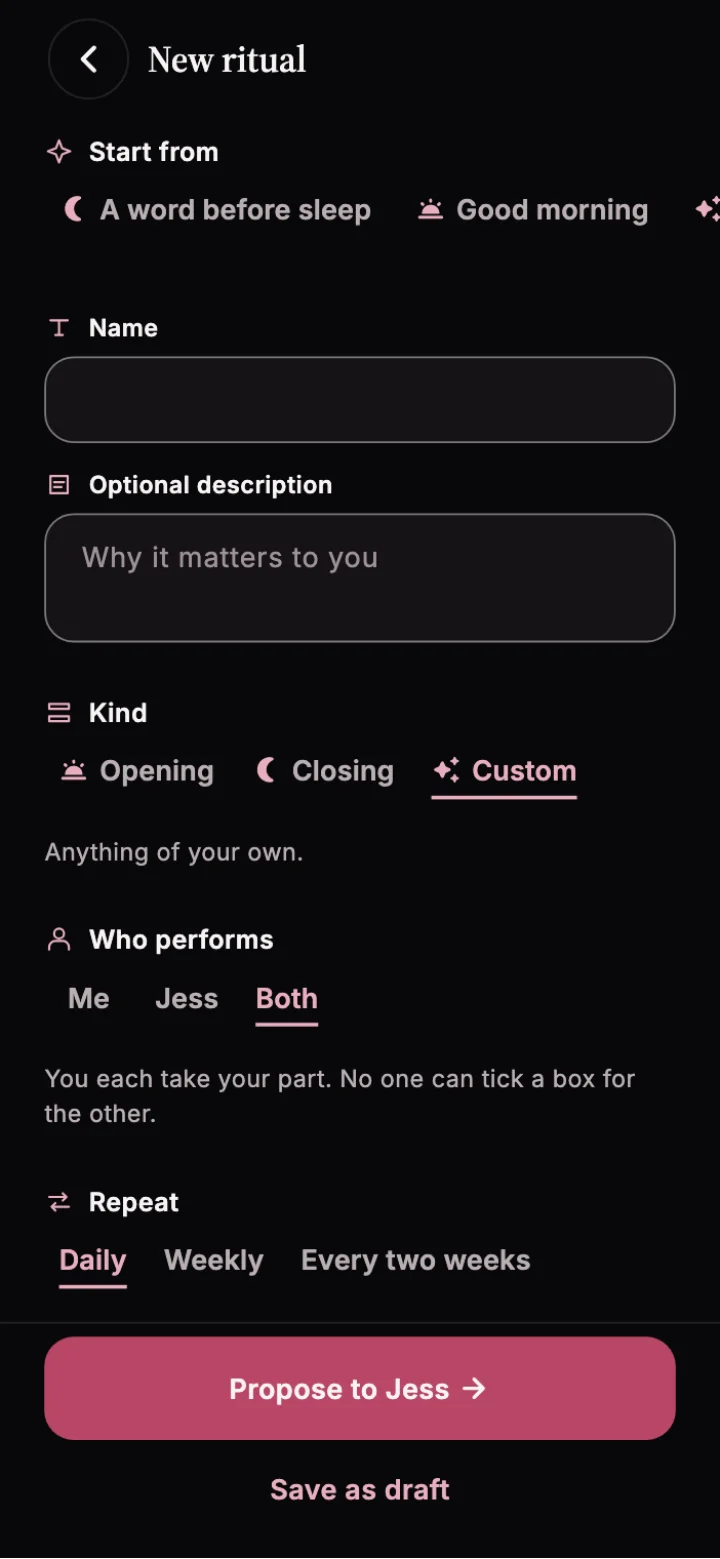
Set up one repeating ritual
- Choose a short action, such as writing one line about how you feel.
- Choose when it repeats and what counts as done.
- Keep it personal, or send it as a proposal in your partner space and wait for acceptance.
Choose a rhythm that fits ordinary life
Rituals can repeat daily, weekly, every two weeks, or monthly. Start with the lightest schedule you want to keep. Agree on the action and timing before sending a shared proposal; a recurring plan is not ongoing permission for touch or intimacy.
For example, choose a short evening check-in: one sentence about how the day felt, without a photo or an immediate reply. For more starting points, read our D/s rituals and protocol guide.
Check in for your own part
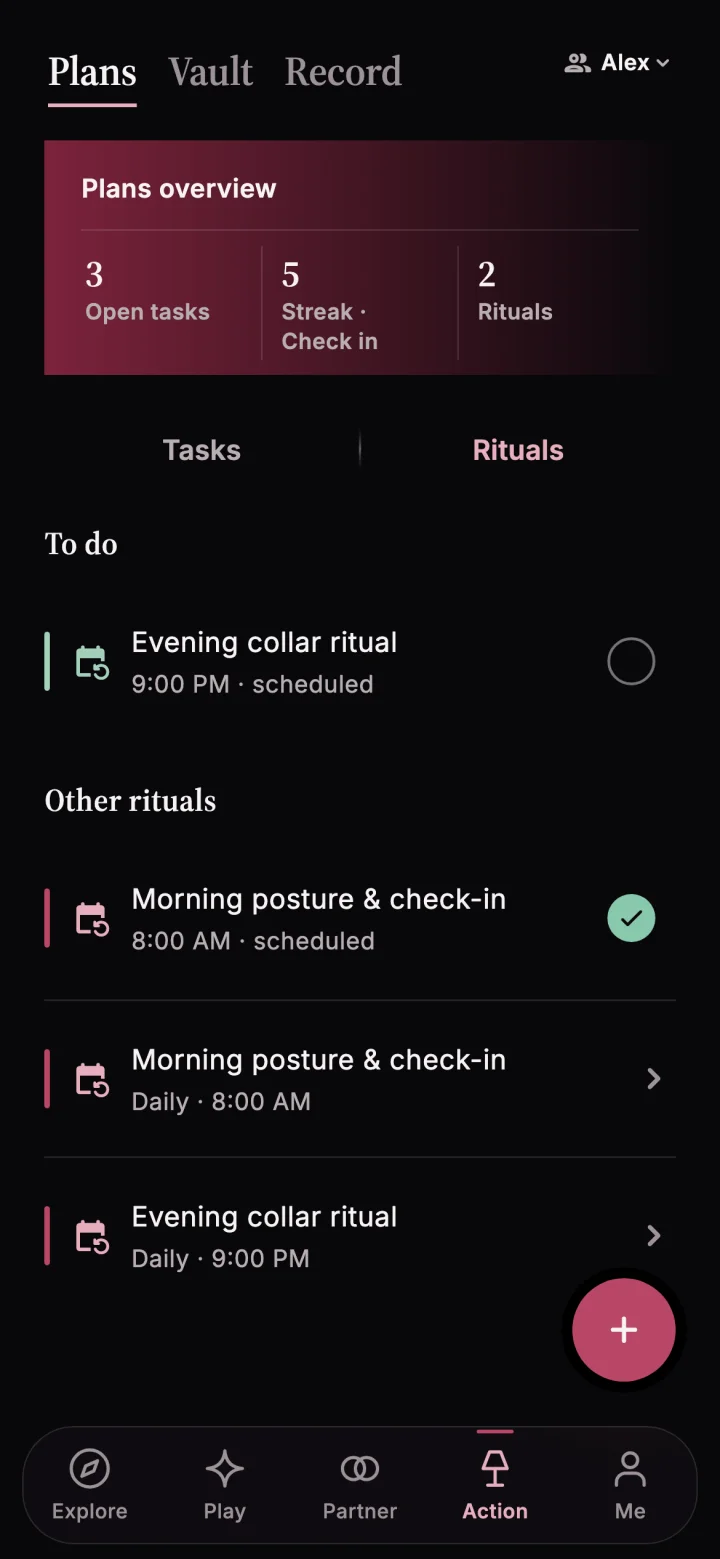
Open Action → Plans and choose Rituals. Record your part when you finish. When both people participate, each person records their own contribution. A check-in records an action; it does not replace asking how your partner feels.
What happens when you skip a day?
Record a skip if you cannot do the ritual. For shared rituals with a cutoff, record it before the cutoff to avoid an automatic slip. A slip is an item to review in Vault. It does not by itself take points from a balance.
Pause together and review your history
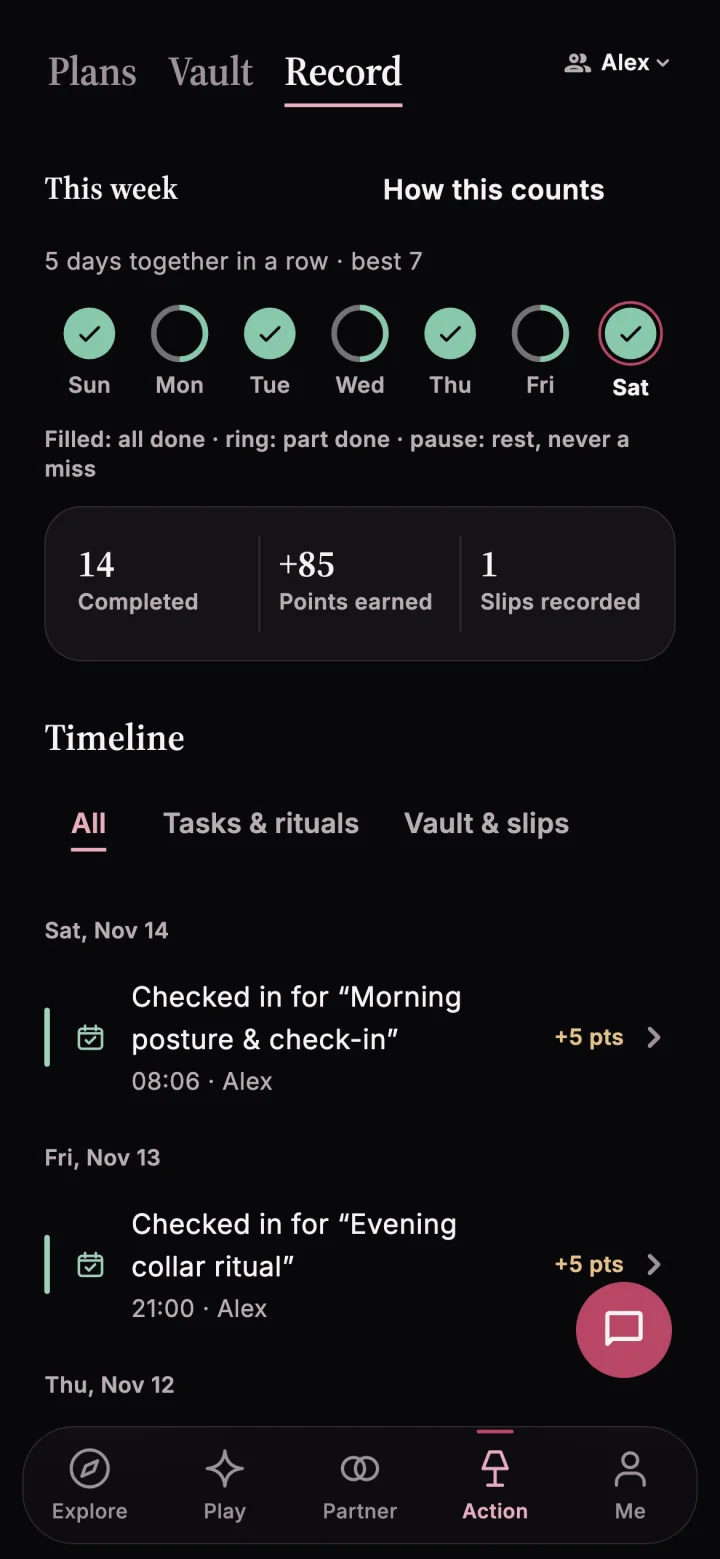
Either partner can use a yellow or red safety light to pause shared practice. Discuss any change in capacity before continuing. Open Action → Record to review check-ins and the timeline in the relevant personal or partner space.
Cuffplay shows streaks and activity history. Use them as a record for conversation, not as a measure of affection or permission. If the routine feels too demanding, agree on a smaller action or a different schedule.
Use a task for something you only do once
If the action has one finish, such as preparing a playlist for Friday, use the task app. A Friday check-in you want to repeat belongs under rituals.
A first week with one ritual
- Monday. Create a personal morning check-in. Write one line about how you feel after waking.
- Tuesday. Write the line and record the check-in.
- Wednesday. Mark a skip when your morning changes.
- Thursday. Pick the ritual back up after waking.
- Friday. Try the check-in at a time that fits a workday.
- Saturday. Keep the wording to one line so it still feels easy to do.
- Sunday. Check your Record. If you want to share the rhythm with a connected partner, create a separate shared proposal.
Start with a single routine. You can choose a personal space now and propose a shared ritual later.
Frequently asked questions